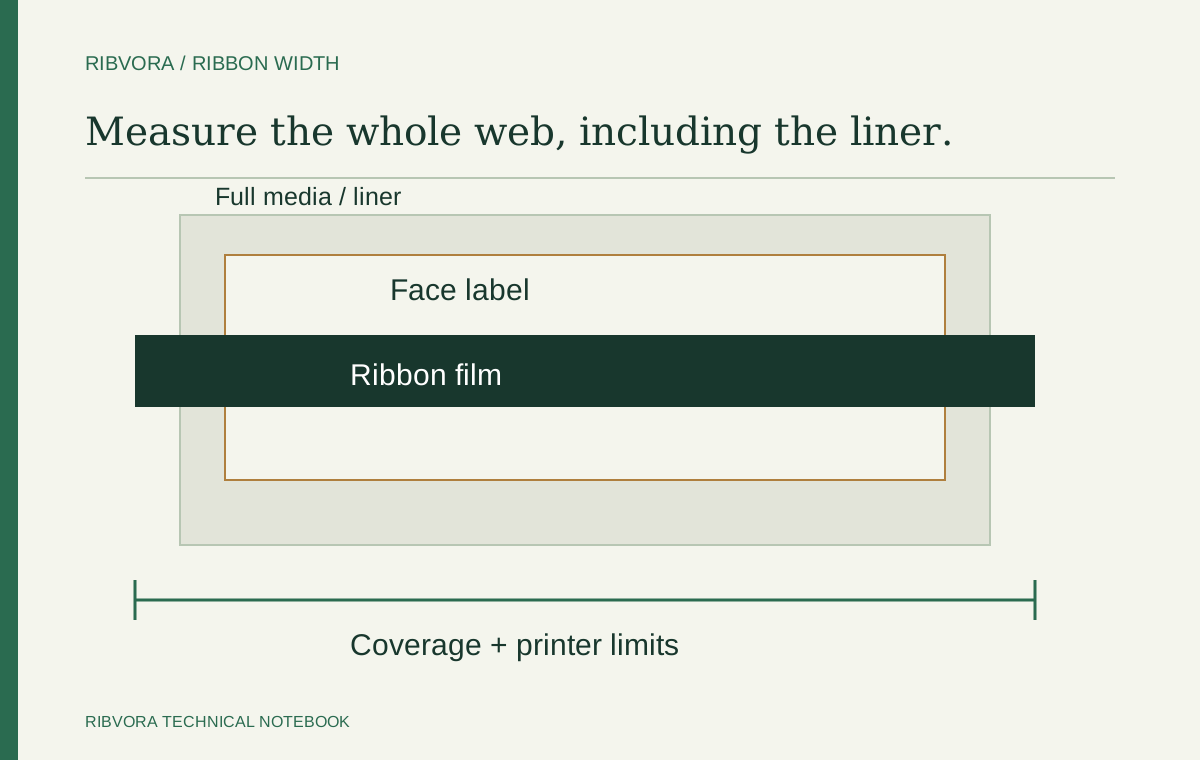
For liner-backed thermal transfer labels, measure the full media width, including the liner, and follow the exact printer’s ribbon-width requirements. Do not size the ribbon only to the face label or printed area. Confirm coverage, loading and supported minimum and maximum widths before approving a candidate; there is no universal extra-width allowance for every setup.
Label width and media width can be different
A die-cut label can sit on backing that extends beyond its edges. A purchase request stating only the label dimensions can therefore omit part of the material passing under the printhead. The width of a barcode or logo is a third measurement, not a substitute for either one.
ARMOR-IIMAK’s printhead-care guidance recommends ribbon slightly wider than the label including its liner. Zebra’s loading instructions for certain desktop printers also explicitly include the backing when comparing ribbon and media width. These instructions address coverage at the printhead, not just whether the ink reaches the artwork.
This guide concerns roll-fed, liner-backed thermal transfer labels using ribbon. Direct thermal printing does not use ribbon. For tags, textiles, linerless stock or a specialist overprinter, use the equipment’s specific material and loading instructions rather than transferring a liner-based example unchanged.
| Measurement | What to measure | Use in the enquiry |
|---|---|---|
| Face-label width | Individual adhesive label across the web | Identifies the label size |
| Full media width | Backing from one outside edge to the other | Starting point for coverage review |
| Printed area | Artwork across the label | Checks artwork fit, not total media coverage |
| Ribbon width | Film across the roll | Compare with media coverage and printer limits |
A readable print is not the complete width check
A ribbon may cover a small barcode while leaving part of the media width uncovered. The barcode can look acceptable, but that observation alone does not settle whether the width meets the printer manufacturer’s instructions.
Zebra warns that ribbon narrower than the media leaves parts of the printhead unprotected and can cause premature wear. ARMOR-IIMAK explains the protective role of the ribbon backcoat. Treat media coverage as a separate approval question from print readability.
Width also does not prove that the formulation suits the label coating or end-use requirement. Keep the mechanical check alongside a controlled sample evaluation; one cannot replace the other.
A measurement example, not a universal size recommendation
Suppose a face label is 50 mm wide and its liner is 54 mm wide. A 52 mm ribbon is wider than the face label, but still narrower than the full media. Comparing 52 with 50 would miss the coverage problem.
A 60 mm ribbon could be considered for review if the printer supports it and the loaded arrangement provides the required coverage. The 6 mm difference between ribbon and liner widths here is arithmetic, not a prescribed allowance. Do not turn it into a rule to add 6 mm to every label.
These measurements are hypothetical and do not describe a RIBVORA product or tested combination. Use the actual web width, supported roll specification and loading instructions for the order in front of you.
| Illustrative dimension | Width |
|---|---|
| Individual face label | 50 mm |
| Full liner-backed media | 54 mm |
| Candidate narrower than the media | 52 mm: insufficient full-width coverage |
| Candidate needing model and loading checks | 60 mm: wider than this media, not automatically approved |
Check both ends of the printer’s width range
A candidate needs to satisfy the exact equipment’s minimum and maximum ribbon widths as well as the coverage requirement. A very narrow label does not remove a model’s minimum ribbon-width requirement.
For a named example, Zebra’s ZT231/ZT231R guide lists a ribbon-width range of 40–110 mm and recommends ribbon at least as wide as the media. Those figures belong to that guide and equipment configuration; they are not a range for every industrial printer or a RIBVORA compatibility claim.
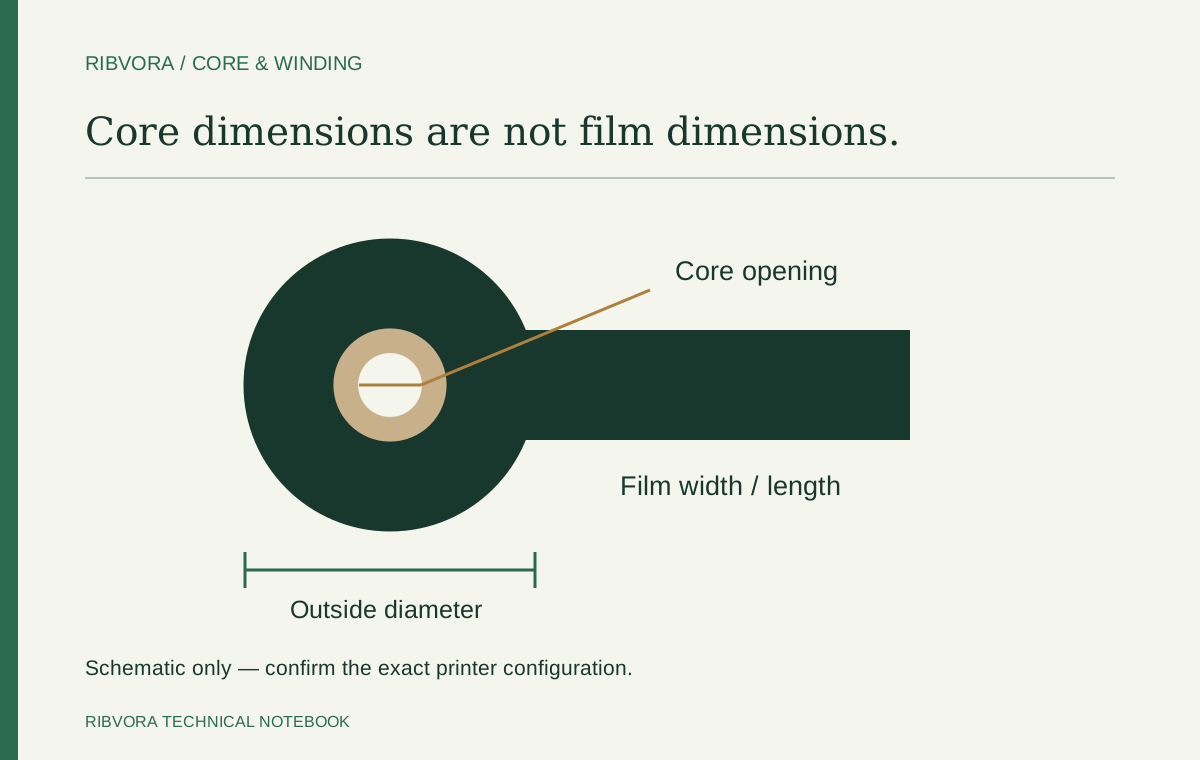
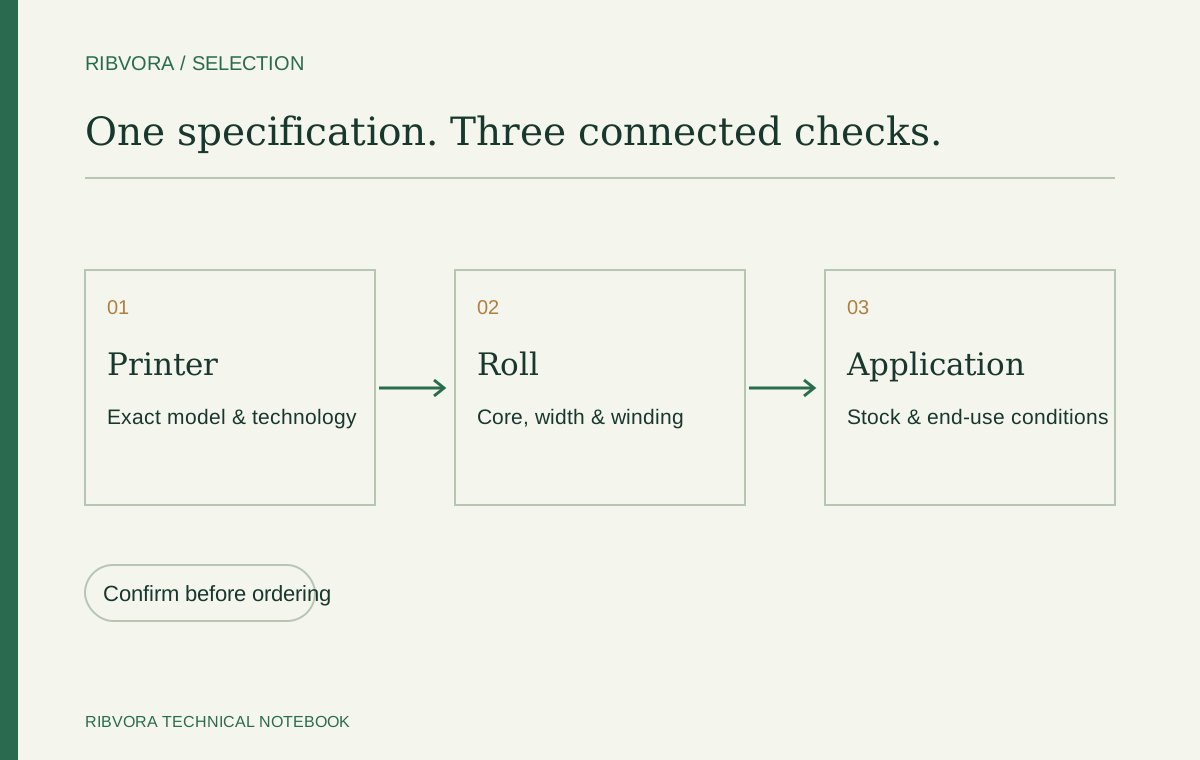
Check length, outside diameter, core and winding separately. If changing width to reduce stock variants, verify each intended printer-and-media combination rather than approving a shared roll from one successful fit.
Measure the web you will actually load
Use representative production stock and record units. Measure straight across the backing, perpendicular to the feed direction. On a supplier drawing, distinguish the individual face-label dimension from the full web dimension and compare it with the physical stock.
For labels arranged in several columns, use the overall backing width. One label’s width leaves out the other columns, gaps and outer backing margins. Photograph the material with a readable scale if the drawing is unclear.
Load a trial roll according to the manufacturer’s procedure and confirm the intended coverage. A nominal width difference does not prove correct positioning. If stock moves sideways, wrinkles appear or the roll does not load as specified, investigate the setup before approving the change.
- Exact printer model and applicable manual
- Full media width including liner
- Face-label width and number of columns
- Candidate ribbon film width
- Supported ribbon-width range and other roll limits
- Loading and coverage check for the intended stock
Keep width decisions in the reorder record
Save the complete approved configuration, not only the label’s sales description. If a supplier changes liner width while retaining the same face-label size, reopen the width check. Review a proposed narrower ribbon before treating it as a routine price substitution.
Connect the printer, stock reference, full web width and candidate roll in the purchasing record. This handover template does not replace equipment instructions or establish product performance.
| Record field | What to retain |
|---|---|
| Equipment | Exact model and reference for supported ribbon widths |
| Label stock | Supplier reference, full liner width and face-label dimensions |
| Ribbon | Film width, formulation and complete roll configuration |
| Trial | Loading check, coverage observation and print-evaluation result |
| Approval | Accepted combination, date and unresolved limitations |
What to send for a width review
Send the printer model and a photo showing the full label backing beside a readable ruler. Include the current ribbon label if available. A close-up of only the printed barcode usually omits the dimension needed for this decision.
Use the RIBVORA enquiry page to share those details and identify what remains unknown. Candidate configuration, application suitability, sample availability and order terms require review; the measurement example above is not a product offer.
Include all columns on a multi-up web
Use the overall media width, not one label from the layout. Gaps and outer backing margins remain part of the web passing under the printhead. Confirm the actual stock against its drawing.
Keep the minimum-width requirement visible
A narrow label does not override a printer’s minimum supported ribbon width. Check both ends of the equipment’s range and its coverage instructions. Do not generalize limits published for a different model.
Review coverage in the specified loading arrangement
A nominally wider ribbon still needs correct positioning. Follow the loading guide and investigate tracking or wrinkles before accepting a result. Width arithmetic alone does not establish correct operation.
Check a proposed stock consolidation on every combination
One ribbon width may be considered for several jobs only if the intended printers and media meet the relevant requirements. Record the accepted combinations instead of assuming that a shared spindle size is enough.
Reopen the check when the liner changes
A stock supplier may change backing width while keeping the face-label size. Keep full media width in the approved reference and review that change before reducing or reusing the ribbon width.
Common questions
Should ribbon width match the label or the liner?
For the liner-backed applications discussed here, check the full media width including the liner against the exact printer’s requirements. Do not select solely from the individual face-label width.
How many millimetres wider should the ribbon be?
There is no universal allowance in this guide. Follow the model’s instructions and confirm coverage in the specified loading arrangement, within its supported ribbon-width range.
Can I use a narrower ribbon if the barcode still prints?
A readable barcode does not prove adequate media coverage or compliance with the printer’s width requirements. Review the full media width and manufacturer guidance first.
Can one ribbon width cover several label sizes?
Possibly, if the exact printers support it and it meets the coverage and application requirements for each stock. Document each approved combination.
Further reading & sources
These sources support general technical guidance. Product approval requires evidence for the exact formulation and application.