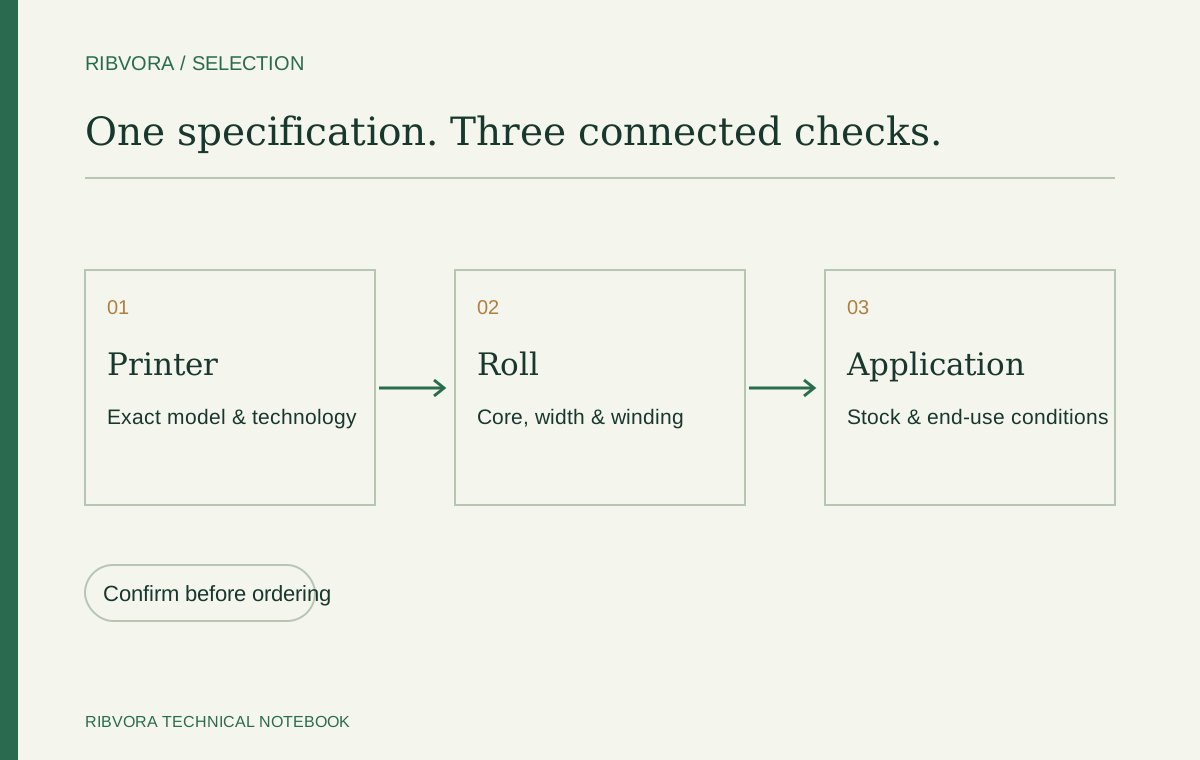
Confirm the exact printer model, ribbon width and length, core inside diameter and length, ink-side orientation and maximum roll outside diameter. Use the printer manual and an approved current reference; a photo or nominal core size alone is not enough.
What belongs in a complete roll specification?
A ribbon is a coated film supplied in a mechanical configuration. The formulation determines how it interacts with the label and printhead; the roll configuration determines whether it loads and runs as intended. Both need to be right.
Before requesting a quotation, copy the dimensions and orientation from a known approved roll specification or the relevant printer documentation. Keep the units visible and distinguish the core dimensions from the film dimensions.
| Field | What it means | What to ask |
|---|---|---|
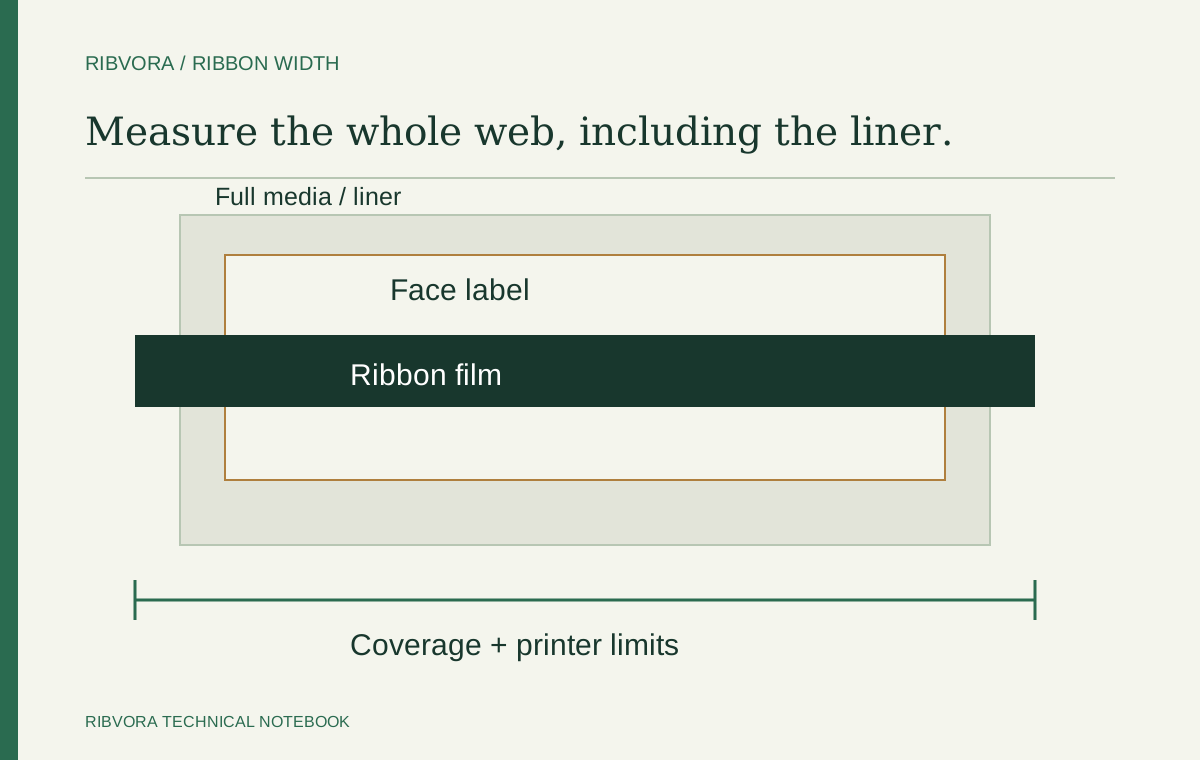
| Ribbon width | Width of the coated film | Does it suit the label and printer requirements? |
| Ribbon length | Usable film length in the roll | Is this length supported by the printer? |
| Core inside diameter | The internal opening of the core | Does it fit the supply mechanism? |
| Core length | The full length of the core | Is it flush, extended or otherwise specified? |
| Maximum outside diameter | The outside size of the loaded roll | Does the complete roll fit the available space? |
| Winding | Which side of the film carries the coating relative to the wound roll | Does the printer require ink side in or ink side out? |
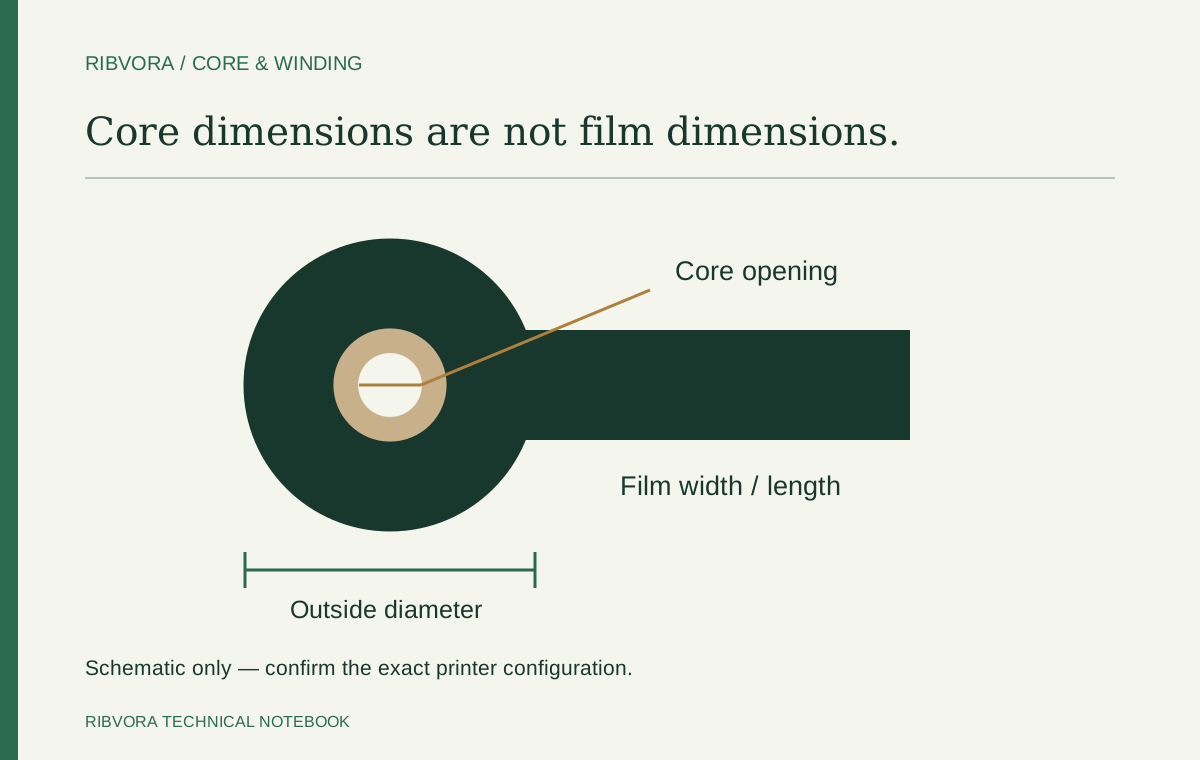
Core diameter and core length are separate details
Two rolls can share the same nominal core inside diameter while using different core lengths or mechanical details. A buyer who sends only a core diameter may still leave an important part of the configuration undefined.
Check whether the printer specifies any notches, slots, hubs or other loading requirements. A current ribbon part number is useful evidence, but it should be connected to the actual printer model and approved configuration rather than treated as a universal reference.
Ink side in and ink side out
Ink side out describes coating facing outward on the wound roll; ink side in describes coating facing inward. Abbreviations vary across supplier catalogues, so write the orientation in full when the order specification is agreed.
Follow the printer manufacturer’s loading and orientation instructions. Do not reverse a roll or alter the loading path simply because the dimensions appear correct. Where the current roll is unmarked, request a confirmation method from the supplier or printer manufacturer.
Why the same dimensions do not prove equivalence
Mechanical fit does not establish that two ribbons have the same coating, printhead compatibility or print performance. The same width and length can be sold in different formulations for different applications.
Keep two approval questions separate: does the configuration meet the printer requirements, and does the candidate formulation perform on the actual label stock? A positive answer to the first does not settle the second.
A handover checklist for purchasing
Before approving a quotation, compare the supplier’s written specification with the technical review. Resolve any abbreviation or unit that could be read in more than one way.
- Exact printer model and printhead technology
- Ribbon width and length with units
- Core inside diameter, length and any special configuration
- Maximum roll outside diameter where relevant
- Ink-side orientation written in full
- Formulation reference and the label material used for evaluation
When a photo helps
A clear photo of the current roll label, packaging reference or printer nameplate can reduce missing information. It cannot reliably establish every dimension or an unmarked coating formulation.
Attach the available photos to a specification enquiry and identify what is known and what needs checking. A useful first response should clarify the unknowns before asking you to commit to a bulk order.
Measure the film and the core separately
Use units beside each measurement. A core can extend beyond the film edges; recording only the total width can confuse the two. Check the printer’s required configuration against the approved reference.
A nominal size is not a tolerance agreement
If the mechanical fit depends on a dimension or notch, ask for the actual specification and applicable tolerance. Do not invent a general allowance or assume a nominal dimension covers every loading mechanism.
Use the model’s specified loading path
A roll that fits physically may still be loaded incorrectly. Use the equipment guide for supply and take-up orientation. Stop if the proposed configuration requires an improvised route or unapproved modification.
Include leader and trailer requirements when relevant
Some configurations have requirements beyond the coated film. Record the details required by the exact equipment and offer. Do not treat those details as universal features of every ribbon roll.
Check the incoming sample before the print trial
Match the sample identifier, dimensions and orientation with the requested configuration. Record any difference before evaluating print performance. A trial of the wrong roll does not approve the quoted item.
Keep configuration changes visible on a reorder
Reference the accepted roll and ask the supplier to identify deviations explicitly. A repeated width-and-length description may conceal a changed core or winding. Review the actual difference before accepting the next shipment.
Further reading & sources
These sources support general technical guidance. Product approval requires evidence for the exact formulation and application.