Follow the label through the process
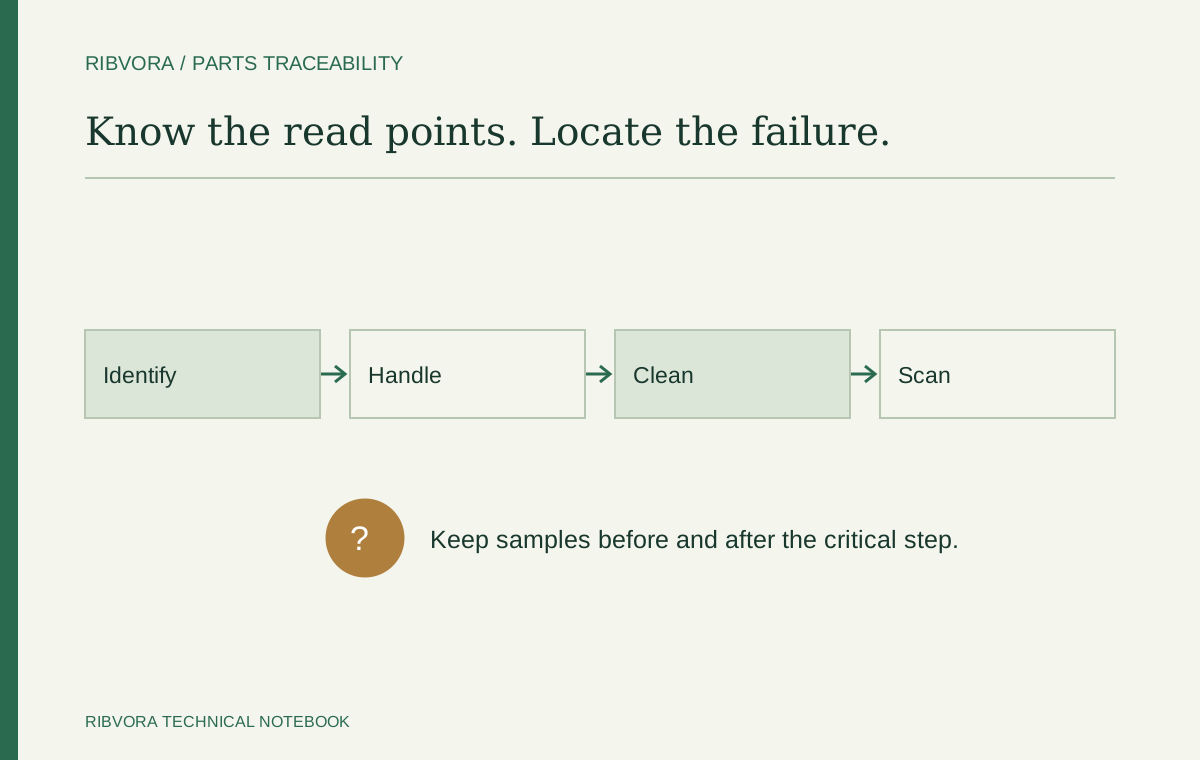
Map the steps after printing: application, handling, storage, cleaning and scanning. Identify where print damage could make the code difficult to read.
Use these observations to define a trial rather than requesting the most resistant ribbon without a test method.
Set the readability requirement
Define the barcode format, dimensions and acceptance method. For applications that require a formal barcode grade, use suitable verification equipment and the appropriate method. A successful scan on a handheld reader alone does not establish a formal verification grade.
Review friction and chemical contact
List the specific contact conditions that apply. Different chemicals, temperatures and contact times can produce different outcomes, even on the same printed stock.
Control the printing variables
Keep printer resolution, speed, energy settings, media alignment and printhead condition in the test record. The approved result should be reproducible under the agreed production setup.
Define the replenishment reference
For repeat purchasing, use one agreed specification reference that connects the ribbon formulation, mechanical dimensions and approved label stock. Flag changes for review before use.
Identify every read point
List the stations where a code is scanned and the equipment used there. A code that works on a desk may be difficult to read in its real position, lighting or handling process. Keep those operating observations separate from formal verification results.
Find the first point of damage
Keep samples from before and after the relevant handling step. If the code becomes unreadable only after cleaning or packing, investigate that exposure instead of changing several printer settings at once.
Use identifiers that link back to the trial
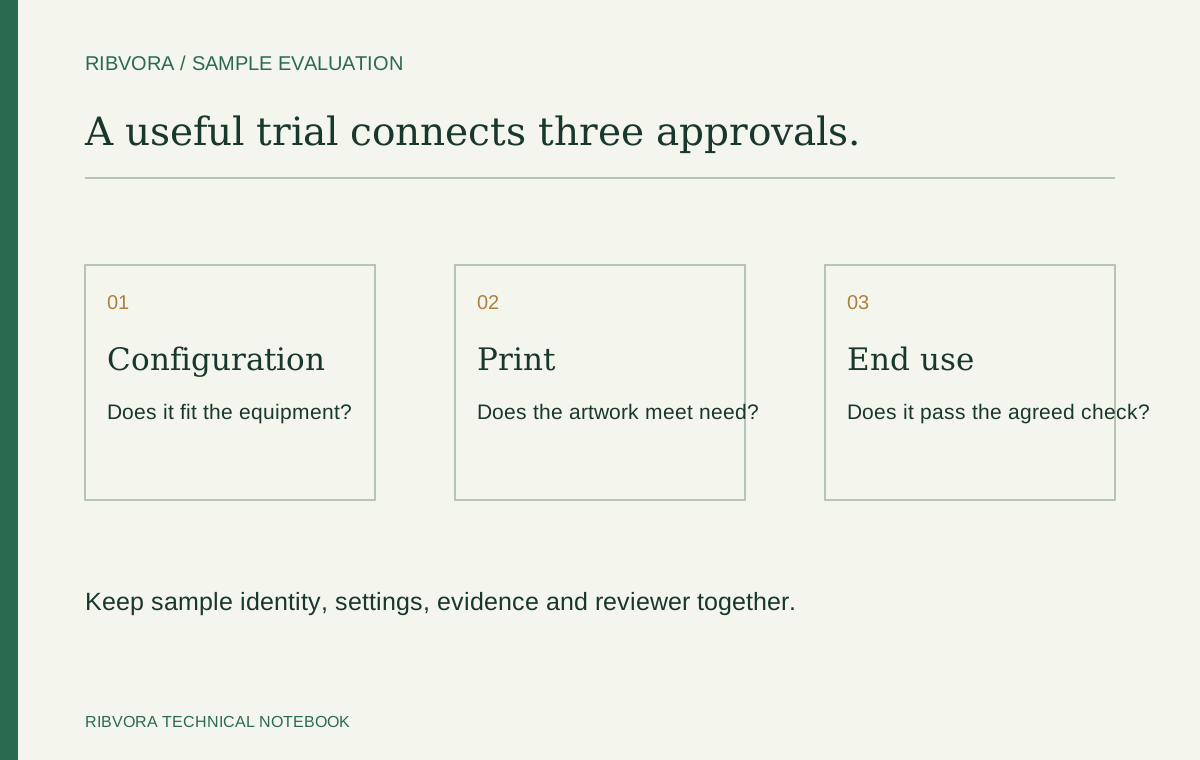
Connect ribbon batch, stock reference and printer setup to the tested labels. Without that link, a defect report may not identify which consumable combination was in use.
Choose representative production artwork
Include the densest required code and the smallest critical human-readable text. Confirm artwork dimensions with the team responsible for the marking specification; ribbon choice cannot repair an unsuitable code design.
Record accepted output without hiding reprints
Count accepted physical labels within a defined production boundary. Track rejects and reprints separately so a low roll price does not conceal extra consumption. Use the same boundary for a candidate comparison.
Define containment when labels fail
Identify which batches and process steps may be affected. Follow the operation’s approved quality procedure before releasing questionable identification. A consumable trial is not permission to bypass traceability controls.
Use the evidence in a replenishment decision
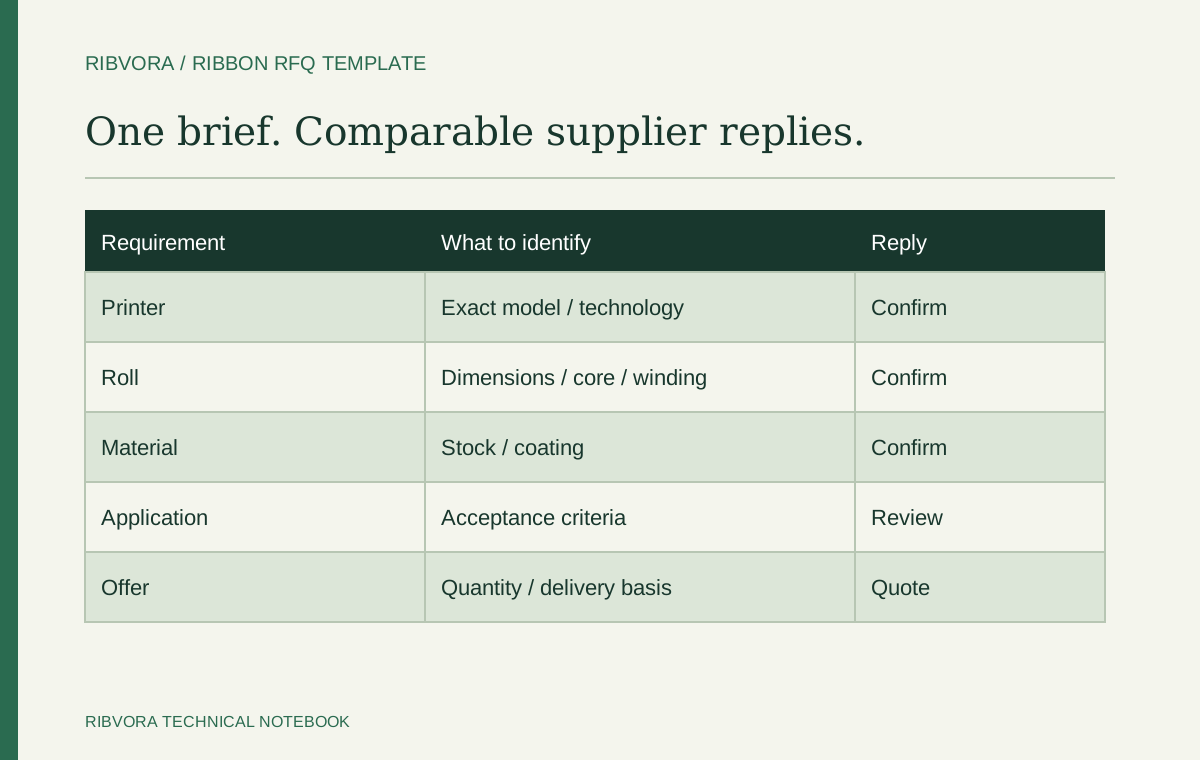
Retain the approved configuration and record whether later failures followed a stock, artwork, process or printer change. This makes the next discussion about a known difference rather than a generic request for better ribbon.
Further reading & sources
These sources support general technical guidance. Product approval requires evidence for the exact formulation and application.